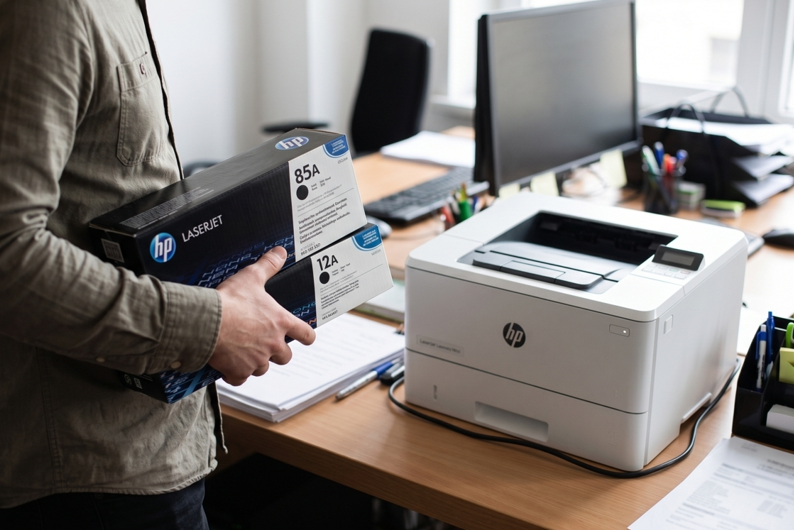
You’re at the shop, or on a website, staring at a wall of toner boxes. They all look the same. The numbers don’t mean much. And you really don’t want to buy the wrong one.
I get it. It’s an easy mistake to make. The good news is that picking the right HP toner cartridges takes about five minutes. You just need to know where to look. Let’s go through it step by step.
Why the Right Toner Matters
Buy the wrong one and you’ll feel it. Here’s what can happen:
- The printer won’t accept the cartridge
- Prints come out faded or streaky
- You waste money on something you can’t return easily
- You lose time when you needed to print
A quick check before buying avoids all of it.
Step 1: Find Your Printer Model
Start with the printer itself. The model name is usually on the front, near the top. Not there? Check the back, the bottom or the manual.
HP model names look like this: LaserJet Pro M404dn or Color LaserJet Pro M454dw. Write down the whole thing. Don’t skip the letters at the end. They matter.
Step 2: Find the Toner Number
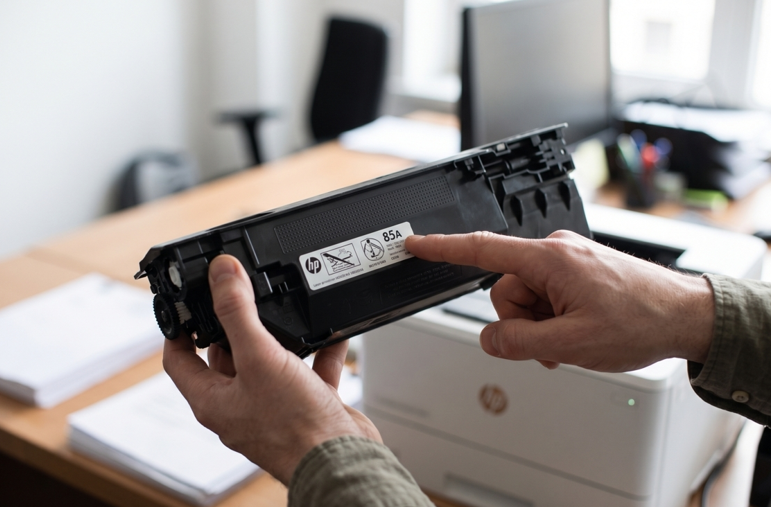
HP toner has a number on the box and the cartridge. You’ll see things like 85A, 12A or 204A. This number tells you which printers it fits.
Here’s where to find it:
- On your old cartridge, usually on the label
- In the printer manual
- On HP’s support website, by searching your model
Match the number exactly. “Close enough” doesn’t work with toner.
Step 3: Understand the “A” and “X”
You’ll often see the same number with a different letter. For example, 05A and 05X.
- A is the standard size. It costs less and prints fewer pages.
- X is the high-yield size. It costs more but prints more pages.
Print a lot? Go with X. It usually works out cheaper per page. Print once in a while? Standard is fine. Toner that sits for months isn’t doing you any favours.
Step 4: Check the Colour
Colour printers use four cartridges: black, cyan, magenta and yellow. Each one has its own number. Don’t just grab the black and hope for the best. Check each colour and replace only what’s running low.
Step 5: Original or Compatible?
This is the big question for most people.
Original toner comes from HP. It’s the safe choice. Quality is steady and surprises are rare.
Compatible toner comes from other makers. It costs less. Quality depends on the brand and the seller, so be careful here.
Neither one is always right. For important client documents, many people stick with original. For everyday printing, a good compatible cartridge can save real money. Just buy from someone who can confirm it fits your exact model.
Step 6: Choose Your Seller Carefully
A good seller will:
- List your printer model clearly
- Answer questions before you buy
- Sell sealed, proper packaging
- Help if something doesn’t fit
And watch out for prices that seem too good. Very cheap toner often has less powder inside. Or a poor chip that causes errors. You save a little and lose a lot.
What If the New Toner Doesn’t Work?
It happens. You’ve got the right cartridge and the printer still complains. Try this:
- Take off all the tape and plastic covers.
- Push the cartridge in until it clicks.
- Wipe the metal contacts with a dry, soft cloth.
- Close the cover fully and restart the printer.
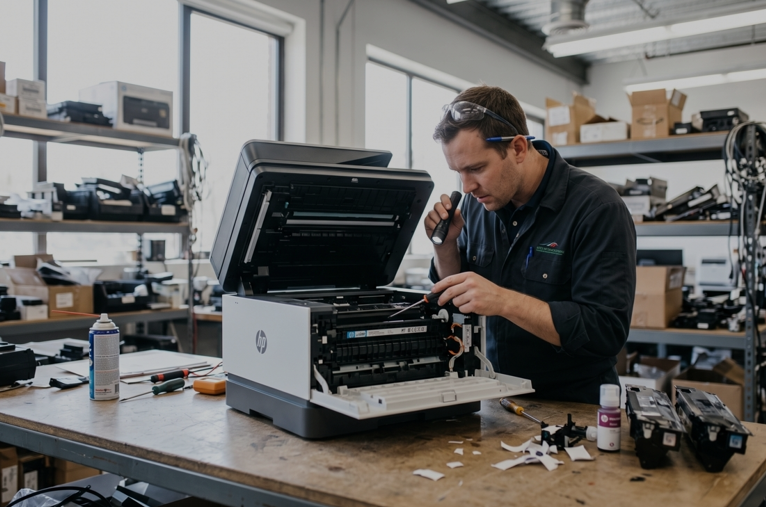
Still no luck? The problem may not be the toner at all. A faulty sensor or a worn part can look just like a cartridge issue. A trusted HP printer repair in Dubai service can check the machine and find the real cause. That’s often cheaper than buying toner after toner.
Mistakes People Make
- Buying by printer series, not the full model name
- Mixing up A and X sizes
- Forgetting to remove the seal
- Picking the cheapest box without checking the seller
- Waiting until the toner is totally empty
- Storing spare cartridges in a hot room
Heat is a quiet killer. Keep spares in a cool, dry place. Leave them in the box until you need them.
A Few Habits That Help
- Order a spare when the “low toner” message first shows up
- Print a few pages every week
- Use decent paper
- Keep the printer clean and dusty-free
- Write your toner number on a sticky note and stick it on the printer
That last one saves a lot of guessing next time.
When to Ask for Help
Get a technician involved if:
- The printer rejects every cartridge you try
- Prints stay faded after a new cartridge
- You hear grinding or clicking
- The printer shuts down on its own
Don’t open the machine yourself. It’s easy to damage small parts.
Final Thoughts
Choosing the right HP toner isn’t hard. Find your full model name. Match the toner number. Pick standard or high yield. Check the colour. Then buy from someone you trust. Do those five things and you’ll avoid most headaches. And if something still feels off, get the printer checked. Don’t keep guessing.