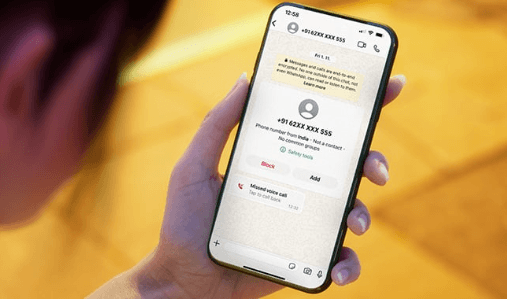
Most people do not think very carefully about their mobile phone number. It is just a number — a string of digits used to route calls and messages, not obviously sensitive in the way that a password or a bank account number is sensitive. And yet your mobile number is, in practice, one of the most revealing pieces of personal information you routinely share. It is linked to your identity through your network contract, connected to financial accounts, used for two-factor authentication on dozens of services, and — once someone has it — extremely difficult to revoke without significant disruption to your digital life.
WhatsApp, which now has well over two billion active users worldwide, requires a phone number to function. For most of those users, that number is their personal mobile — which means that every person they have ever communicated with on WhatsApp, for any reason, holds a permanent link to their primary digital identity. For friends and family, this is entirely appropriate. For the Gumtree seller, the Airbnb cleaner, the person from the dating app, the aggressive cold contact on LinkedIn — it is a level of access that most people would not grant if they stopped to think about it.
What Your Phone Number Reveals
Privacy International, one of the leading organisations working on digital rights and surveillance, has documented the various ways that phone numbers function as persistent identity anchors in digital systems — far beyond their original function as call-routing addresses. A phone number can be used to look up social media accounts across platforms, to identify individuals through data broker databases, to target advertising, and to anchor the kind of persistent profile that makes it very difficult to genuinely disengage from a contact who has it.
For most people, most of the time, these risks are theoretical rather than immediate. But the category of situations in which they become concrete is larger than it might initially appear. Selling a car to a stranger. Renting a flat through a private landlord. Communicating with someone whose behaviour subsequently becomes unwanted. Conducting business with contacts whose trustworthiness you cannot fully verify. Participating in online communities where your real identity is not something you want foregrounded. In all of these situations, handing over a phone number that traces back directly and permanently to you carries a risk that a separate, dedicated number would eliminate entirely.
Why WhatsApp Specifically
WhatsApp occupies an interesting position in the privacy landscape. On one hand, it offers end-to-end encryption for messages, which means the content of your communications is protected from third-party interception in a way that SMS is not. On the other hand, the phone number required to use it functions as a persistent, cross-platform identifier in exactly the way described above. The content of your WhatsApp messages may be private; the fact that you use a specific number for WhatsApp, and that this number is linked to your identity, is not.
This is not an argument against using WhatsApp — it remains one of the most useful and widely used communication tools available, and its encryption makes it genuinely preferable to unencrypted alternatives for sensitive communications. It is an argument for being thoughtful about which number you use to register it, and specifically for questioning whether your permanent personal mobile number needs to be the one.
A dedicated virtual number used solely for WhatsApp gives you the full functionality of the platform while decoupling it from your primary digital identity. You get end-to-end encrypted messaging, voice and video calls, file sharing, and all the features that make WhatsApp useful. What you do not get is the exposure of your personal mobile number to everyone you communicate with through it.
The Practical Mechanics
Setting up a secondary WhatsApp account using a virtual number is not technically complicated, but it is worth understanding the steps before you start. WhatsApp verifies new accounts by sending a code to the number you register with, either by SMS or automated voice call. Your virtual number needs to be able to receive this code — which means using a provider whose numbers are accepted by WhatsApp’s verification system. Some lower-cost virtual number services use number ranges that WhatsApp has flagged and blocked from registration; using a reputable provider with numbers confirmed to work avoids this problem.
Once registered, the second account functions independently of your primary one. It has its own profile (which can be as anonymous or as identified as you choose — a first name only, for instance, rather than a full name and identifiable profile picture), its own contact list, and its own notification stream. WhatsApp’s native multi-account feature on both Android and iOS makes switching between accounts seamless, so managing both from a single phone is straightforward in practice.
The virtual number itself can be set up to forward voice calls to your real number if needed, though many people find they rarely receive voice calls through their WhatsApp virtual number — it tends to be used primarily for messaging. If you do not need voice forwarding, many virtual number providers offer a basic messaging-only tier at lower cost than a full virtual SIM.
See also: Environmental Monitoring Technologies Explained
Choosing Your Approach
The most important decision when setting up a virtual number for WhatsApp privacy purposes is how you want to present the number to contacts. If the goal is purely functional — having a separate number for transactions and professional contacts — then any virtual number in a country code appropriate to your location will serve. If the goal is a degree of genuine anonymity, then some additional thought about the profile information associated with the account is worthwhile: a first name only, no profile picture, or a non-identifying profile picture, all reduce the information available to anyone who receives the number.
The detail of keeping a dedicated number just for WhatsApp — including how to choose a number, what the registration process involves, and how different types of virtual number services compare — is covered in practical detail for anyone working through the setup for the first time.
A Small Step With a Lasting Benefit
Digital privacy is one of those topics where the gap between knowing what good practice looks like and actually doing it tends to be very wide. The steps that genuinely make a difference are usually modest and one-off: enabling two-factor authentication, using a password manager, reviewing app permissions annually. Adding a virtual number for WhatsApp sits in this category. It takes perhaps twenty minutes to set up, requires no ongoing effort, and permanently reduces a specific and real category of personal data exposure that most people are currently accepting by default.
The number your friends have is yours indefinitely. The number the stranger from the marketplace has is one you chose to give them for a specific purpose. That distinction, once you have made it, feels obvious in retrospect — and difficult to understand why you waited so long to act on it.